
在软件使用过程中,经常需要对一些醒目的日志进行弹窗提示,尤其是对于错误和警告级别的日志,需要进行特殊提示。
为什么不全部使用QMessage进行弹窗显示呢?
如果出现大量的日志需要提示,那么QMessage会全部堆叠在窗口,出现主程序阻塞。QMessage要求用户必须点击确认按钮或在其他QPushButton实现的按钮后才可继续下去。一般QMessage设置为模态,但也可设置为非模态。虽然设置为非模态后不会出现主程序阻塞问题,但还是会堆叠弹窗,且没有确认按钮的QMessage缺失了其本身的意义。
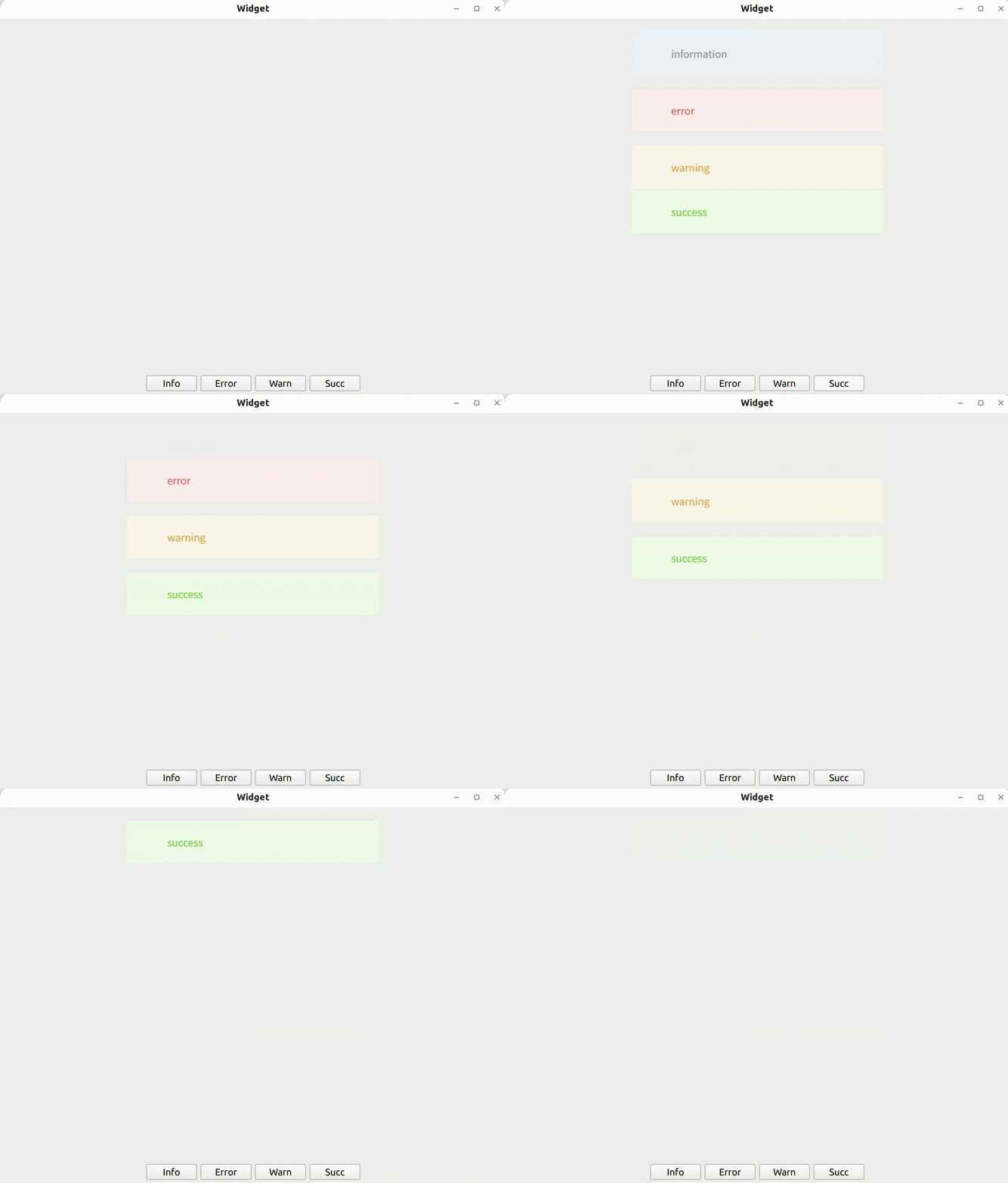
如何设计一个便捷的消息弹窗?
核心就是将日志消息放置于一个队列中,不断将日志出队列。
消息中设置QPropertyAnimation动画。动画内容为消息缓慢上移,消息会在动画结束后自动释放。
void MessageItem::AppearAnimation()
{
    QPropertyAnimation *animation = new QPropertyAnimation(this, "geometry");
    animation->setDuration(20);
    animation->setStartValue(
        QRect(pos().x(), pos().y() - nMessageItemMargin, width_, height_));
    animation->setEndValue(QRect(pos().x(), pos().y(), width_, height_));
    animation->start(QAbstractAnimation::DeletionPolicy::DeleteWhenStopped);
}
消息结束时增加透明效果。
void MessageItem::DisappearAnimation()
{
    QGraphicsOpacityEffect *pOpacity = new QGraphicsOpacityEffect(this);
    pOpacity->setOpacity(1);
    setGraphicsEffect(pOpacity);

    QPropertyAnimation *pOpacityAnimation2 =
        new QPropertyAnimation(pOpacity, "opacity");
    pOpacityAnimation2->setDuration(500);
    pOpacityAnimation2->setStartValue(1);
    pOpacityAnimation2->setEndValue(0);

    pOpacityAnimation2->start(
        QAbstractAnimation::DeletionPolicy::DeleteWhenStopped);

    connect(pOpacityAnimation2, &QPropertyAnimation::finished, this, [&]() {
        emit itemRemoved(this);
        deleteLater();
    });
}
消息入队列
void Message::Push(MessageType type, QString content)
{
    std::unique_lock<std::mutex> lck(mtx_);
    int height = 0;
    for_each(messages_.begin(), messages_.end(),
             [&height](MessageItem *pTp) mutable {
                 height += (nMessageItemMargin + pTp->height());
             });
    MessageItem *pItem =
        new MessageItem(qobject_cast<QWidget *>(parent()), type, content);
    connect(pItem, &MessageItem::itemReadyRemoved, this,
            &Message::adjustItemPos);
    connect(pItem, &MessageItem::itemRemoved, this, &Message::removeItem);
    pItem->SetDuration(duration_);
    height += nMessageItemMargin;
    pItem->move(QPoint((width_ - pItem->width()) / 2, height));
    messages_.emplace_back(pItem);
    pItem->Show();
}
消息销毁
void Message::removeItem(MessageItem *pItem)
{
    std::unique_lock<std::mutex> lck(mtx_);
    for (auto itr = messages_.begin(); itr != messages_.end();) {
        if (*itr == pItem) {
            messages_.erase(itr);
            break;
        } else
            ++itr;
    }
    int height = nMessageItemMargin;
    for_each(messages_.begin(), messages_.end(), [&](MessageItem *item) {
        QPropertyAnimation *pAnimation1 =
            new QPropertyAnimation(item, "geometry", this);
        pAnimation1->setDuration(300);
        pAnimation1->setStartValue(QRect(item->pos().x(), item->pos().y(),
                                         item->width(), item->height()));
        pAnimation1->setEndValue(
            QRect(item->pos().x(), height, item->width(), item->height()));

        pAnimation1->start(
            QAbstractAnimation::DeletionPolicy::DeleteWhenStopped);
        height += (nMessageItemMargin + item->height());
    });
}
评论(0)
暂无评论